how to set up stremio: the best way to stream in 2026
one stremio account on every screen, torbox for streams, and the bootstrapper so you never configure addons by hand. about 15 minutes.
since my days as a wee lad, i’ve been cruising the high seas from baka-updates leecher to zoechip chud.
i’ve wasted a lot of time working around blocked websites or patched methods, but my life was changed earlier this year thanks to a mutual friend.
so it is my turn to change your life as well.
a quick tldr: this guide is for setting up on your laptop, but after you do it once it works on your tv, phone, or tablet too. start to finish it takes about 15 minutes.
- stremio is a client for your phone, tablet, laptop, or tv to watch your own content.
- people have cooked up addons to stream torrents straight into stremio.
- without a debrid service, that ties the traffic to you.
- torbox is a debrid service that i recommend. it downloads the streams on its servers and you stream from torbox instead of the torrent directly.
- in essence, it works kind of like a VPN.
once you complete the following steps, your ship is ready to sail! 🏴☠️🏴☠️
1. make a stremio account
sign up at web.stremio.com and install the app for your laptop from stremio.com/downloads.
do not use “sign in with apple” or “continue with facebook”
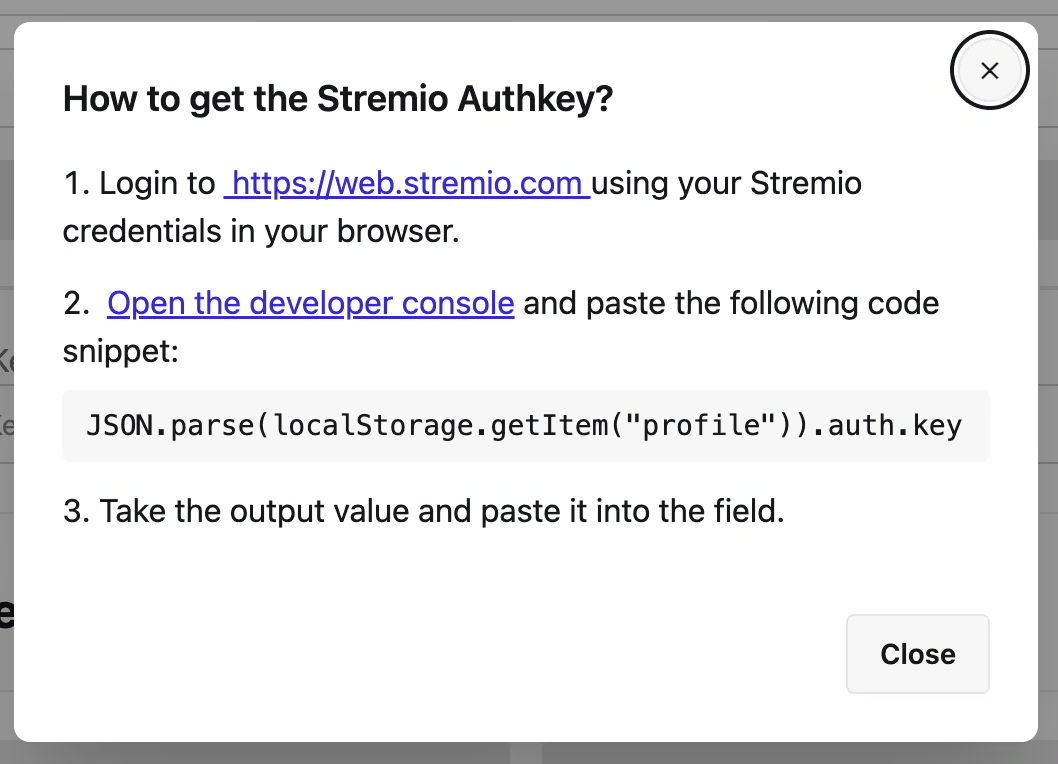
it looks easier. it isn’t. those accounts have no stremio password, and the bootstrapper in step 3 wants one. you’d have to log in on the web, open the dev tools and dig out an auth key by hand. slightly annoying. email + password takes ten seconds.
always sign in with the same stremio account. the setup lives on the account, so once it’s done it’s done everywhere.
2. make a torbox account
- make an account at torbox.app. <- this is my referral link.
- pick a plan. the free one is fine to try it out, but you’ll want the $3/month plan to stream more than a show or two a day.
- copy your api key from torbox.app/settings and stash it in your notes app. you’ll need it in a minute.
what the referral gets you: an extra 7 days for every month you buy, added to your plan. we both get the same bonus. so 1 month gets you 7 extra days, 3 months gets you 21, a year gets you 84. it only applies to your first purchase and stacks with plan discounts.
my referral code (click to copy):
da3a3cb3-f505-42f4-bdac-a1f4f74d66003. run the bootstrapper
this is the last step. open bootstrapper.stremaddon.net.
it takes a preset of addons and writes it into your stremio account, it wipes your existing addon setup, so hit the backup button first if you’ve customized anything.
1. log in with the same stremio email + password from step 1. the email and password boxes are the simple route.
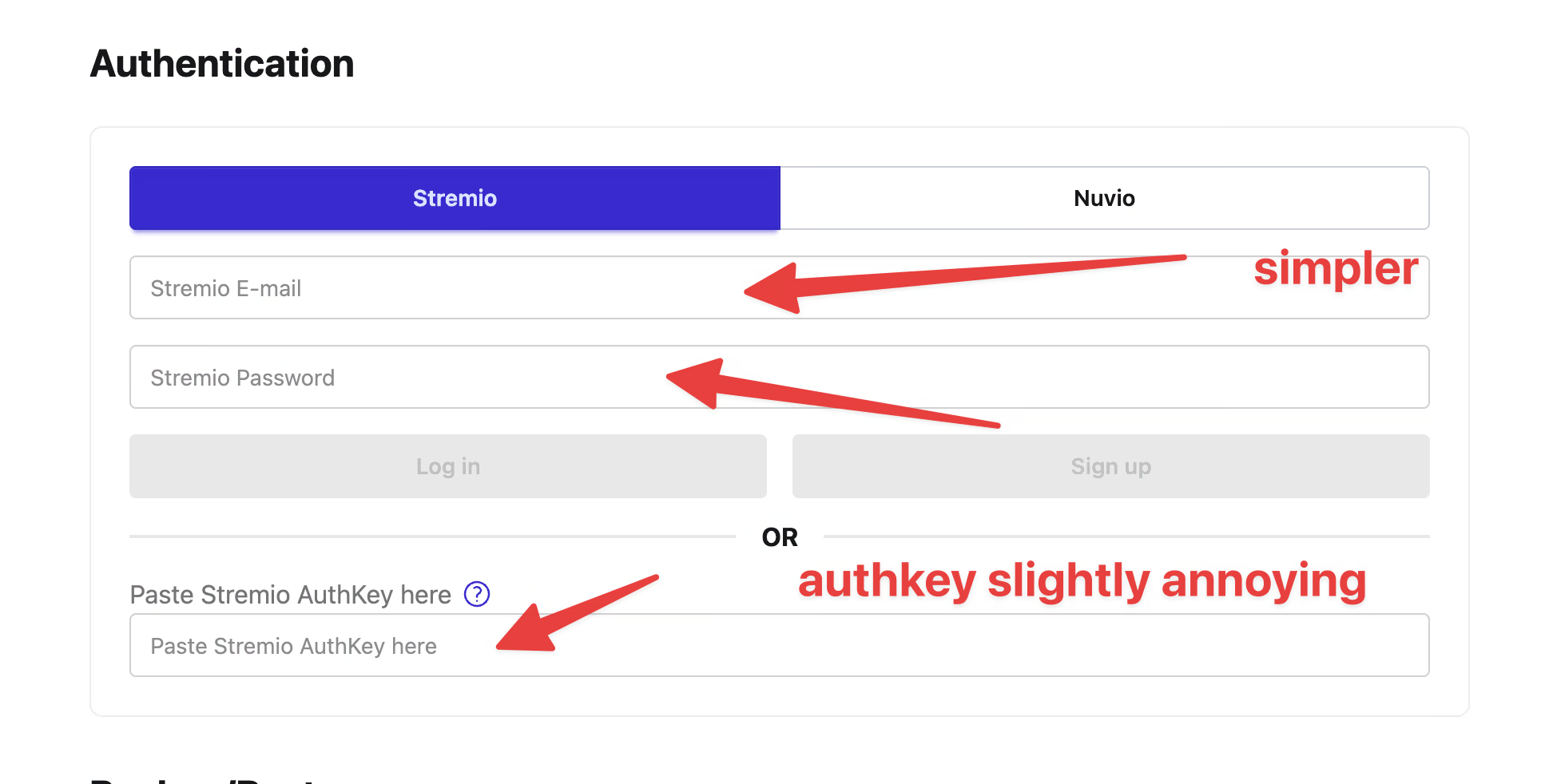
if you signed up with apple or facebook, you have to use the auth key box instead. the ”?” next to it walks you through it.
2. go with the standard preset.
3. the settings are straightforward. the one thing you need is the debrid step: pick torbox and paste your api key.
don’t skip this! if you are streaming without a debrid key “you will be torrenting”
4. you don’t need the rpdb key or anything else.
5. scroll down to the “bootstrap account” step and hit “sync to stremio.”
6. open stremio on your computer and check the addons tab. you should see a list of addons installed.
4. 🏴☠️🏴☠️🏴☠️
finally, search up a show and boom, you’re sailing.
install stremio on your tv and every device you want to watch on, sign in with the same account, and the addons come with it.
note for ios
the stremio iphone app isn’t a real native app. it’s the web version, so for video formats it can’t play you need an external video player. their guide covers it. the full native app is only on altstore pal, which is europe, brazil and japan only.
disclaimer
this is a setup guide for stremio and torbox, not a content recommendation. i don’t host or link to any content. stremio works fine with legal sources (public domain, your own library, free legal addons), and you’re responsible for following your local laws and only watching things you have the rights to.
footnotes
-
referral link. we both get free premium time if you use it, details in step 2. ↩