building a floating dock on macos with tauri (and why i kinda regret it)
the insane journey of building a floating session dock - NSPanel, click-through transparency, peek-on-hover, and the auto-hide pill pattern that almost broke me
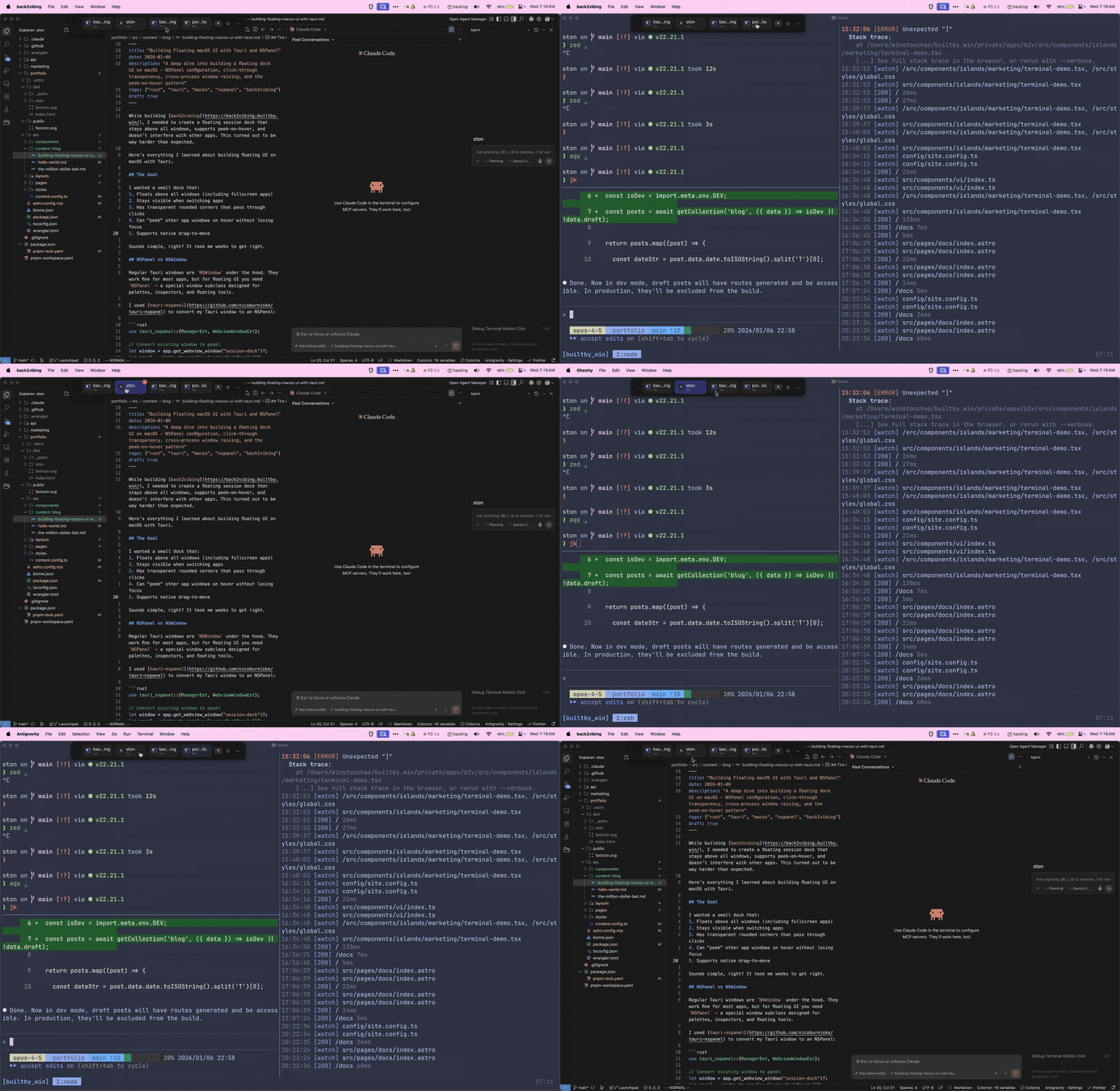
while building back2vibing, i needed a floating session dock that stays above all windows, lets you peek other app windows on hover, and doesn’t get in your way. sounds simple right?
it took me a whole week to get it right. a week of digging through undocumented macos APIs, fighting with Tauri’s webview quirks, and discovering that NSPanel is both a blessing and a curse.
looks like AI can’t do everything…
here’s everything i learned so you don’t have to suffer like i did.
what i wanted
the goal was pretty straightforward:
- a dock that floats above everything (even fullscreen apps)
- stays visible when you switch to other apps
- rounded corners with transparent areas that pass clicks through
- hover over a session to “peek” that app’s window without losing focus
- drag it around wherever you want
sounds simple, right? haha…
NSPanel: the foundation
regular Tauri windows are NSWindow under the hood. they work fine for most apps, but for floating UI you need NSPanel - a special window subclass designed for palettes and floating tools.
i used tauri-nspanel to convert my Tauri window:
use tauri_nspanel::{ManagerExt, WebviewWindowExt};

// convert existing window to panel
let window = app.get_webview_window("session-dock")?;
let panel = window.to_panel::<SessionDockPanel>()?;
making it float above everything
three things make a panel actually stay on top:
1. window level
panel.set_level(25); // NSStatusWindowLevellevel 25 is NSStatusWindowLevel - same level as the menu bar clock. keeps it above normal windows but below system alerts.
2. collection behavior
panel.set_collection_behavior(
    NSWindowCollectionBehavior::CanJoinAllSpaces      // visible on all desktops
        | NSWindowCollectionBehavior::FullScreenAuxiliary  // visible in fullscreen
        | NSWindowCollectionBehavior::Stationary      // immune to Cmd+H
        | NSWindowCollectionBehavior::IgnoresCycle,   // skip in Cmd+Tab
);
the important ones:
CanJoinAllSpaces: shows on every virtual desktopFullScreenAuxiliary: visible when another app is fullscreenStationary: prevents Cmd+H from hiding it
3. prevent hiding
unsafe {
    let ns_window_ptr = panel.ns_window()? as *mut objc::runtime::Object;
    let _: () = msg_send![ns_window_ptr, setCanHide: false];
}
panel.set_hides_on_deactivate(false);
this stops macos from hiding the panel when your app loses focus.
click-through transparency
i wanted rounded corners with a nice shadow, but clicks on the transparent parts should pass through to windows below.
in rust:
unsafe {
    let ns_window_ptr = panel.ns_window()? as *mut objc::runtime::Object;

    // make window non-opaque
    let _: () = msg_send![ns_window_ptr, setOpaque: false];

    // set clear background - this is the key for click-through
    let clear_color: *mut objc::runtime::Object = msg_send![class!(NSColor), clearColor];
    let _: () = msg_send![ns_window_ptr, setBackgroundColor: clear_color];
}
in css:
html,
body {
  background: transparent !important;
}
#root {
  background: transparent !important;
  display: inline-block; /* fit content exactly */
}
now clicks on the rounded corners pass through to whatever’s underneath. pretty satisfying when it finally worked.
the peek-on-hover pattern
this was the hardest part by far. i wanted to hover over a session tile and have that app’s window rise to the front without losing mouse focus on my dock.
the problem
when you raise another app’s window, macos activates that app. which means:
- your app loses focus
- your NSPanel might hide
- even if it doesn’t hide, it stops receiving mouse events
total pain.
the solution: non-activating panel + focus juggling
the first key insight is NSWindowStyleMaskNonActivatingPanel:
use tauri_nspanel::objc2_app_kit::NSWindowStyleMask;
panel.set_style_mask(NSWindowStyleMask::NonactivatingPanel);
this makes the panel receive mouse events without activating your app. but here’s where it gets hacky…
when the mouse enters the panel, i capture what app was focused. then when peeking a window, i use the private SkyLight framework to raise it:
#[link(name = "SkyLight", kind = "framework")]
extern "C" {
    fn _SLPSSetFrontProcessWithOptions(
        psn: *mut ProcessSerialNumber,
        window_id: u32,
        mode: u32,
    ) -> i32;
}

pub fn raise_window_without_focus(pid: i32, window_id: u32) -> Result<(), String> {
    let mut psn = get_psn_for_pid(pid)?;

    // UserGenerated mode (0x200) raises the window visually
    unsafe {
        _SLPSSetFrontProcessWithOptions(&mut psn, window_id, 0x200)
    };

    Ok(())
}
i tried CGSSetWindowLevel first - it silently fails for windows you don’t own. wtf.
but the really hacky part is the focus dance. when hovering between sessions, i need to:
- force the panel to become key (
makeKeyAndOrderFront) - raise the peeked window using SkyLight
- the non-activating panel keeps receiving hover events
and when the mouse leaves the panel entirely, i restore focus to whatever app was originally focused before entering. it’s like a careful choreography of focus states.
// on panel enter
crate::accessibility::capture_focused_app_on_panel_enter();

// ... user hovers around peeking different windows ...

// on panel leave
crate::accessibility::restore_focused_app_on_panel_leave();
it sounds insane and it is. but it works.
dragging the dock
CSS app-region: drag doesn’t work with NSPanel. the webview just doesn’t forward the events properly.
so i had to implement manual dragging. the frontend tracks pointer events and sends deltas to rust:
const handleWindowPointerMove = useCallback((e: PointerEvent) => {
  if (!isDraggingRef.current || !lastMousePosRef.current) return;

  const deltaX = e.screenX - lastMousePosRef.current.x;
  const deltaY = e.screenY - lastMousePosRef.current.y;
  lastMousePosRef.current = { x: e.screenX, y: e.screenY };

  // batch updates with RAF to avoid jank
  pendingDeltaRef.current.x += deltaX;
  pendingDeltaRef.current.y += deltaY;

  if (rafRef.current === null) {
    rafRef.current = requestAnimationFrame(() => {
      const { x, y } = pendingDeltaRef.current;
      if (x !== 0 || y !== 0) {
        commands.moveDockByDelta(x, -y); // invert Y for macOS coords
      }
      pendingDeltaRef.current = { x: 0, y: 0 };
      rafRef.current = null;
    });
  }
}, []);
and rust applies the delta:
pub fn move_dock_by_delta(app: &AppHandle, delta_x: f64, delta_y: f64) -> Result<(), String> {
    let window = app.get_webview_window("session-dock")?;

    unsafe {
        let ns_window = window.ns_window()? as *mut objc::runtime::Object;
        let current_frame: NSRect = msg_send![ns_window, frame];

        let new_frame = NSRect {
            origin: NSPoint {
                x: current_frame.origin.x + delta_x,
                y: current_frame.origin.y + delta_y,
            },
            size: current_frame.size,
        };

        let _: () = msg_send![ns_window, setFrame:new_frame display:true animate:false];
    }
    Ok(())
}
i also had to disable hover tracking while dragging, otherwise the panel would collapse mid-drag. more state management fun.
v2: the auto-hide pill
ok so here’s where things got really crazy.
i built all of this on my 32” monitor and it looked great. then i opened it on my laptop and immediately realized it was way too big and in the way. i needed some kind of auto-hide mechanism.
i took inspiration from Superwhisper’s floating pill - it’s this tiny little indicator that expands when you hover over it. i absolutely love their implementation. simple concept, right?
nightmare. absolute nightmare to implement in Tauri.
the hover detection problem
here’s the catch: non-activating NSPanels don’t receive hover events when your app isn’t focused.
remember that NonactivatingPanel style mask from earlier? it lets the panel receive events without activating the app - but only mouse clicks. regular mouseEntered/mouseExited events require the window to be key, which defeats the whole purpose.
i tried NSTrackingArea - events don’t propagate to the webview. i tried CSS :hover - doesn’t fire when the app is inactive. i spent like two days trying different approaches before figuring this out. 😭
the solution: 60fps mouse position polling
instead of relying on webview hover events, i poll the mouse position at 60fps from rust and check if it’s inside the panel bounds:
pub fn start_hover_tracker(app: AppHandle) {
    std::thread::spawn(move || {
        let mut was_hovering: Option<bool> = None;

        loop {
            let mouse_pos: NSPoint = unsafe { msg_send![class!(NSEvent), mouseLocation] };

            if let Some(frame) = get_panel_frame(&app) {
                let is_hovering = point_in_rect(mouse_pos, frame);

                // state changed
                if was_hovering != Some(is_hovering) {
                    if is_hovering {
                        // capture what was focused, force panel to front
                        capture_focused_app_on_panel_enter();
                        app.emit("dock-hover", ());
                    } else {
                        // restore focus to original app
                        restore_focused_app_on_panel_leave();
                        app.emit("dock-unhover", ());
                    }
                    was_hovering = Some(is_hovering);
                }
            }

            std::thread::sleep(Duration::from_millis(16)); // ~60fps
        }
    });
}
the webview listens for these events and triggers the expand/collapse animations. it’s not sexy but it works.
the clipping nightmare
this is where it got REALLY tricky. NSPanel clips content at its bounds. when expanding from pill to dock:
- NSPanel is 80x24 (pill size)
- content needs to become 600x68 (dock size)
- if you resize panel after showing content → clipped garbage
- if you resize panel before content is ready → flicker
i was pulling my hair out on this one. the solution is very careful orchestration between rust and react:
// on hover enter:
if is_dock_pill() {
    // step 1: emit event FIRST so frontend hides pill content
    app.emit("dock-hover", ());

    // step 2: wait for react to process (~16ms)
    std::thread::sleep(Duration::from_millis(16));

    // step 3: NOW resize NSPanel (content should be hidden)
    resize_dock(&app, expanded_width, expanded_height);
}
and on the frontend:
const handleExpand = useCallback(() => {
  if (isPill && !isExpanding) {
    // 1. hide pill content immediately (opacity: 0)
    setIsExpanding(true);
    setExpandAnimating(true);

    // 2. switch to dock view (still hidden)
    setIsPill(false);

    // 3. after backend resizes, fade in
    setTimeout(() => {
      setExpandAnimating(false);
    }, 32);
  }
}, [isPill, isExpanding]);
the timing has to be just right or you get weird artifacts. took a lot of trial and error.
why no CSS scale animations
i originally tried using CSS scale() for a bouncy expand animation. looked great in the browser, completely broken in NSPanel.
the problem: CSS transforms change visual size but not layout size. at scale(0.5), the element still occupies its full space in the DOM, but NSPanel clips at the window boundaries. result: content getting cut off during the animation.
safe animations for NSPanel:
opacity- fades without affecting layouttranslateX/Y- moves within bounds
don’t use:
scale()- causes clippingtransform-originwith scale - same problem
really wish someone had told me this before i spent hours debugging it.
the collapse sequence
collapsing is the reverse problem - you need to hide content before shrinking the panel:
const handleCollapse = useCallback(async () => {
  // 1. start fade-out animation
  setIsCollapsing(true);
  setCollapseAnimating(true);

  // 2. wait for animation
  await new Promise((r) => setTimeout(r, 200));

  // 3. switch to pill UI
  setIsPill(true);
  setIsCollapsing(false);

  // 4. tell backend to resize panel to pill size
  commands.notifyDockCollapsed();
}, []);
backend handles the final resize:
pub fn notify_dock_collapsed(app: &AppHandle) {
    set_dock_is_pill(true);
    resize_dock(app, 80.0, 24.0);
}
should you use Tauri for this?
honestly? probably not.
i built this with Tauri because i wanted to use React for the UI. but the amount of native macos integration required - NSPanel, Accessibility APIs, SkyLight framework, custom hover tracking, manual dragging - means like 80% of the code is Rust calling Objective-C.
at this point it’s basically a macos app with a webview bolted on. a native Swift/AppKit app would be simpler and wouldn’t have any of these webview-specific workarounds.
that said, Tauri’s webview did make iterating on the UI way faster. and the final result works really well. just be prepared for pain if you need deep platform integration.
the tldr
building floating UI on macos with Tauri requires:
- NSPanel instead of NSWindow (via tauri-nspanel)
- window level 25 + collection behaviors for floating
- clear background + non-opaque for click-through transparency
- NonactivatingPanel style mask for hover-while-focused behavior
- SkyLight APIs for cross-process window raising
- focus capture/restore to juggle focus states during peek
- manual pointer tracking for dragging (CSS drag doesn’t work)
- 60fps mouse polling for hover detection on the pill
- careful expand/collapse orchestration to avoid clipping during resize
- no CSS scale transforms - they clip in NSPanel
it’s a LOT of undocumented macos knowledge. if you’re building something this native-heavy, really consider whether Tauri is the right choice.
but if you’re committed, the result can be really polished. and now you have this guide so you don’t have to figure it all out yourself like i did.
check out back2vibing if you want to see the final product, or the source code for the full implementation.
- winston